How good is my current service and would another operator be better? Our app upgrade gives you speedy answers in maps and graphs.
SignalTrackerPro can run repeated speed and signal tests automatically while you travel, then turn the results into maps and charts. Instead of doing dozens of manual speed tests, you can see where your service is strong, where it drops out, and whether another operator might perform better.
Use it to check your commute, compare providers, identify not-spots and see whether your phone is really using 5G.

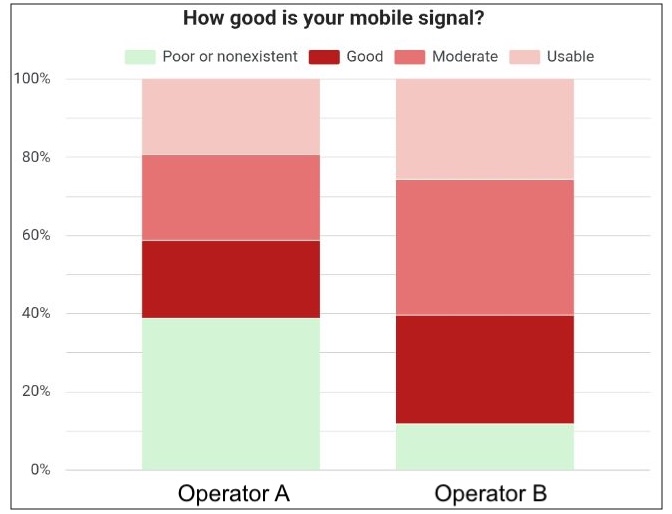
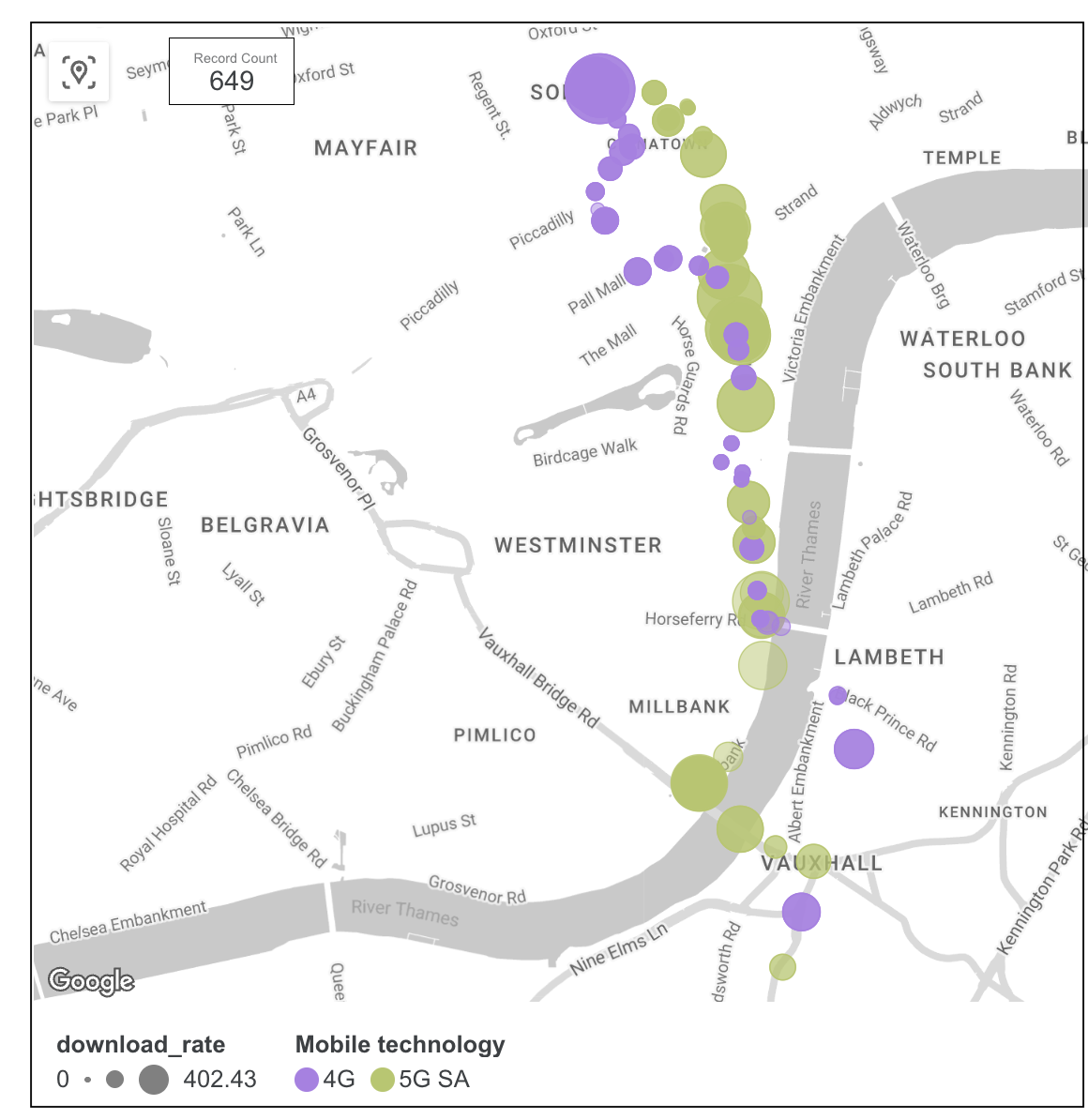
SignalTrackerPro gives a complete picture of your mobile service and helps you decide whether to switch. And what’s more, its free!
SignalTrackerPro is linked to your Google account and takes less than a minute to set up. Keep in mind that results will show after activation through your Google account; previous results will not show.
There is a brief explanation below but you can also watch a video demonstration.
Activating SignalTrackerPro:
